Keep the work.Keep the context.
A shared task board and lasting project memory for your coding agent. See the plan, follow the work, and pick it up next session.
For Codex, Claude Code, and your preferred coding agent.
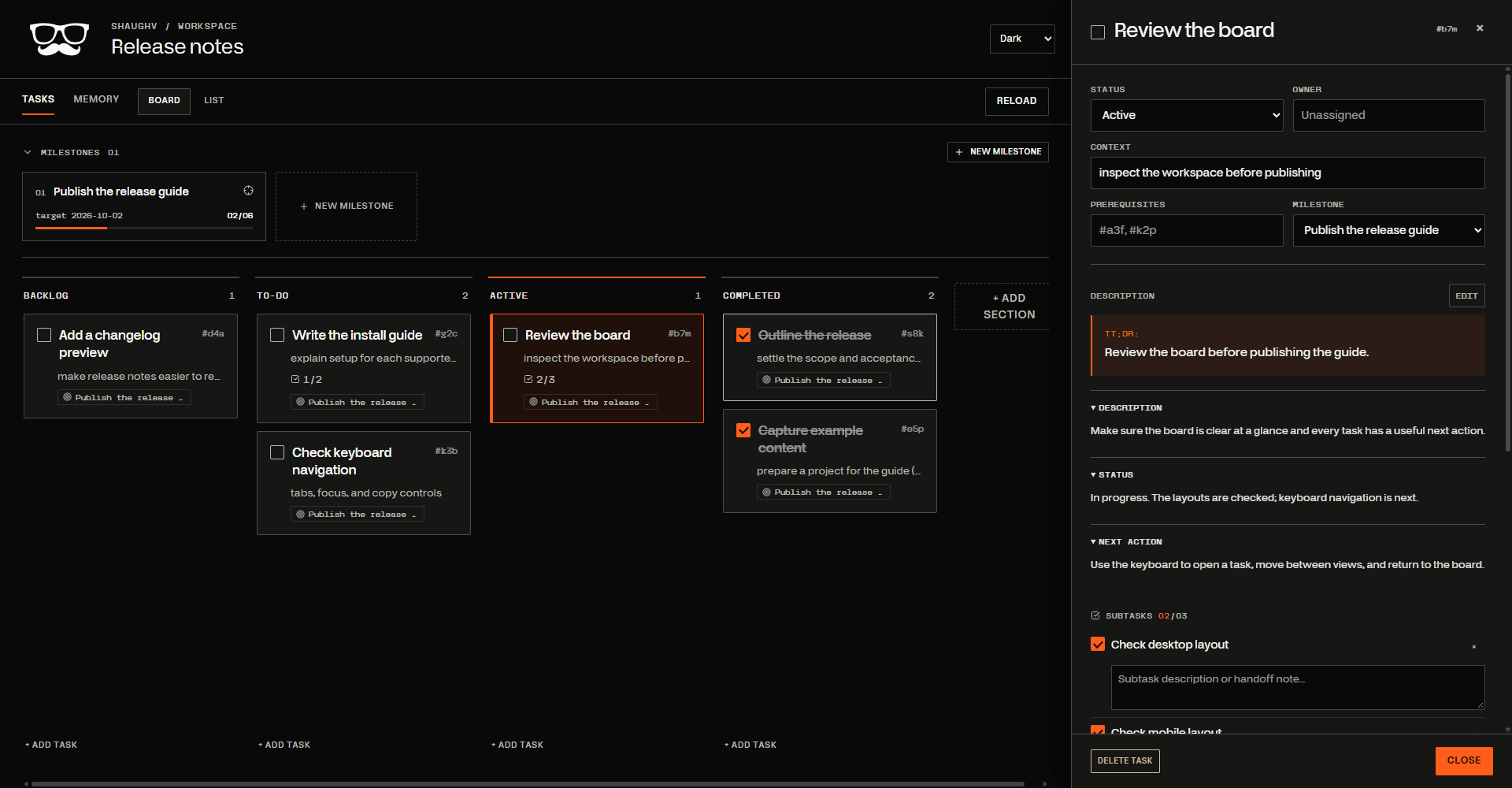
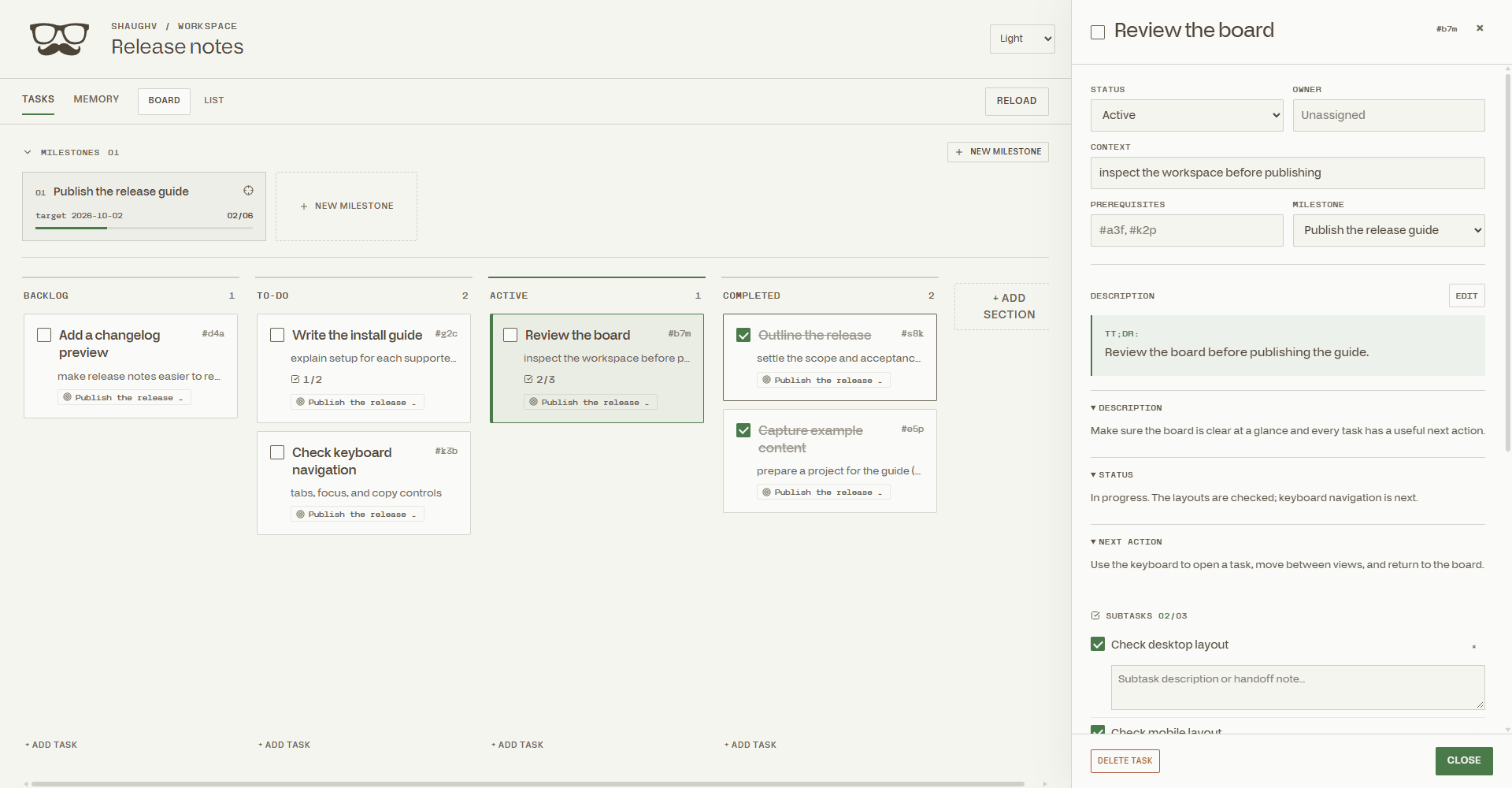
A live board. Resumable work. Files you own.
shaughv-tasksA clear plan.A better handoff.
Give your agent a place to keep the work, the checks, and the context. You both use the same board.
See what is moving.
A live board for tasks, subtasks, and milestones. Open a task to see its plan, checks, and next action.
Resume with context.
Keep project language and decisions alongside each task, so the next session has a useful starting point.
Status: In progress
Next: Check keyboard navigation
Context: Keep the board usable without a mouse
Keep the files.
Tasks and project memory live in your repo as readable Markdown. Keep them local, or track them in Git.
.tasks/
├─ TASKS.md
├─ MILESTONES.md
├─ tasks/
└─ memory/
Done means checked.
Verification stays with the task. Open checks keep it from being marked complete.
- Desktop layout: verified
- Mobile layout: verified
- Keyboard navigation: not yet verified
Give your next session a head start.
Install the bundle, then ask your agent to start the task system in your project.
Free to install. Public on GitHub.codex plugin marketplace add RealEmmettS/shaughv-taskscodex plugin add shaughv-tasks@shaughv-tasksThen choose tasks-start from the skills picker, or ask Codex to start your task board.
Read the install guide ↗All install commands
Codex
codex plugin marketplace add RealEmmettS/shaughv-tasks
codex plugin add shaughv-tasks@shaughv-tasks
Then choose tasks-start from the skills picker, or ask Codex to start your task board.
Claude Code
/plugin marketplace add RealEmmettS/shaughv-tasks
/plugin install shaughv-tasks@shaughv-tasks
Then run /shaughv-tasks:tasks-start (or /tasks-start when available) in your project.
Other agents
npx skills add RealEmmettS/shaughv-tasks
Install the skills for your agent, then ask it to use tasks-start in your project. This option installs the skills rather than the marketplace plugin.
A few details.
Where is my work stored?
Tasks and project memory live in a .tasks folder inside your project. Choose whether to keep it local or track it in Git.
Can I use it with another agent?
The plugin supports Codex and Claude Code. A skills-only install is available for Cursor, OpenCode, Gemini CLI, and other agents supported by the skills CLI. The board and Markdown files stay with your project.
Does the board need a hosted service?
The board runs locally using Node.js and its built-in modules. There is no hosted task service or database to set up. Once the display assets are provisioned, the workspace also works offline.